Creator playtest and publish#
Playtest the built game before publishing. A successful technical build can still contain unclear rules, poor pacing, or an unbalanced strategy.
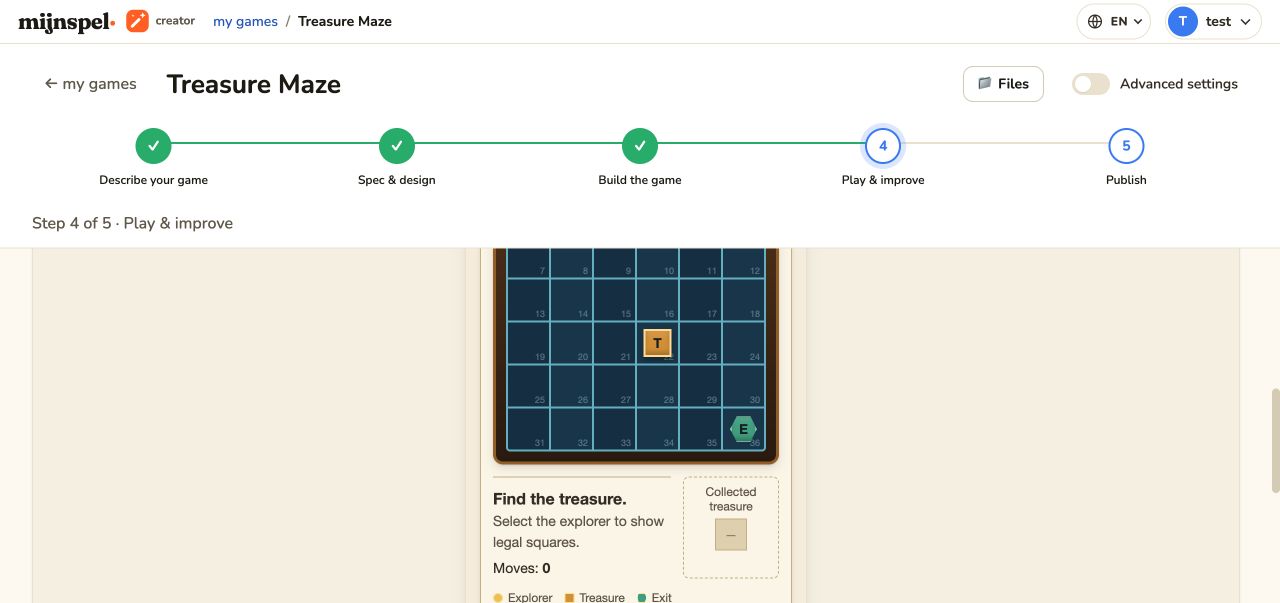
Preview and playtest#
Play opens the current preview in Creator. Exercise setup, legal and illegal actions, reset or new-game behavior, win and draw conditions, and responsive small-screen layout. For a networked game, test with at least two browser sessions and use its lobby. Solo and same-device games must not be given a multiplayer lobby.
Feedback and improvements#
Record specific observations: action, expected result, actual result, and whether it blocks play. Attach supported evidence when useful. The improvement agent can modify the current game from that feedback. Re-test the affected path and a basic happy path after each change.
Versions and revert#
Creator records versions around completed changes. Use version history to compare and revert to a known working state. Revert replaces the active project state; export or duplicate first when you may need both branches of work.
Conditional simulation#
Simulation is available only when the game includes a compatible, validated simulator. If it is absent, Creator can ask the agent to enable it; not every interaction model can be simulated honestly. When available, automated policies and bots run repeated games and report results such as win rates and turn counts. Treat the report as evidence about the simulated model, not proof that human play is balanced. Validation hides stale or incompatible simulation controls until game rules and simulator match again.
Multiplayer lobby#
A networked game gets the platform lobby only when its board definition explicitly contains one lobby widget. Players connect from separate browser sessions through the supplied share link or join-by-code flow. The platform also supplies status and the copy action. The lobby is not hand-written game HTML, and it must not be added to solo or single-device games.
Publish#
Publish only after the current preview passes. The publish flow validates and deploys the current candidate, then exposes its public address when promotion completes. Keep the page open while status is progressing. If publishing fails, the last active public release is not automatically proof that the candidate worked; follow Publish recovery.