Projects and transfers#
Each product has its own project library. Project actions are available from a project card or its menu; unavailable actions are disabled while agent work or publishing makes them unsafe.
Create and rename#
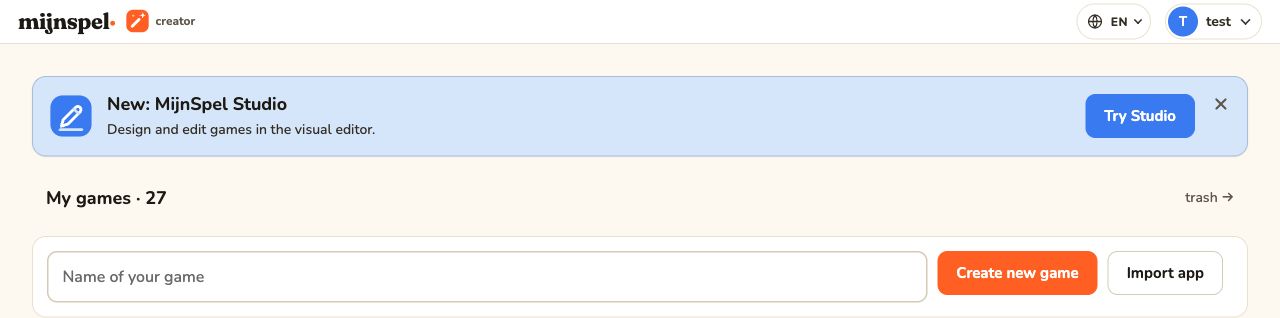
Create a project from the project overview. Creator begins the guided description phase; Studio opens its editor and assistant workspace. Rename changes the label shown in your library. It does not rewrite the content of the game.
Duplicate#
The project menu offers two independent copy modes. Active or queued agent work must finish or be stopped before either mode can start.
Input only#
Input only starts again from the original material. It copies downloaded inputs, uploaded files, the selected agent setting, and a custom uploaded design system. In Creator, inputs can include the idea, rulebooks, extras, and videos. In Studio, they can include the idea or source URL, rulebooks, and extras. An AI-selected design system is not copied.
The new project resets to the initial created state without a specification, AI-generated visual references, or build output. Studio also leaves out the board definition and controllers, opens the starter board, and resets the project format to the current Studio version. Choose this mode when you want the same source material but a fresh design and build.
Copy everything#
Copy everything copies reusable project artifacts, including the specification, design system, visual references, built files, existing on-disk game-version snapshots, and—in Studio—the board definition and controllers. Creator preserves the source status and current phase; Studio preserves the source status and project format version. Input only starts a new game-version history instead. Use the full mode for a variation that should begin with the existing playable work.
Despite its label, the full copy deliberately resets operational identity and activity history. Both modes mint a fresh project ID and preview identity, disconnect the old backend, and start unpublished. They do not copy chats, jobs, feedback, agent activity history, agent sessions, publishing history, or backend runtime state. Stale per-app WebAssembly output, runtime configuration, logs, directives, and other transient session files are regenerated or omitted.
Export and import#
Export downloads a portable MijnSpel app archive through the product UI. Import uploads a supported archive and creates a new local project. Transfers are chunked and resumable at the application boundary, but close neither app until the UI reports completion. Treat archives as project data: store them only where intended.
Trash and restore#
Delete moves a project to Trash rather than erasing it immediately. If you remove one accidentally, open Trash and restore the deleted game. Restoring returns it to the project library; it does not restart cancelled agent work. Permanent removal, where offered, cannot be undone.
Older versions and conversion#
An older archive may need conversion. Import only when the app recognizes the format and shows the supported conversion path. Conversion creates or upgrades a project; it does not promise that obsolete custom code or unsupported schemas behave identically. Keep the original export until the converted game has been tested. See Troubleshooting and recovery if import fails.