Creator guided workflow#
Creator is deliberately multi-phase. The current phase limits what the agent is trying to achieve, so review each result before continuing. Closing the page does not make completed work disappear; a running job can reconnect after a temporary interruption.
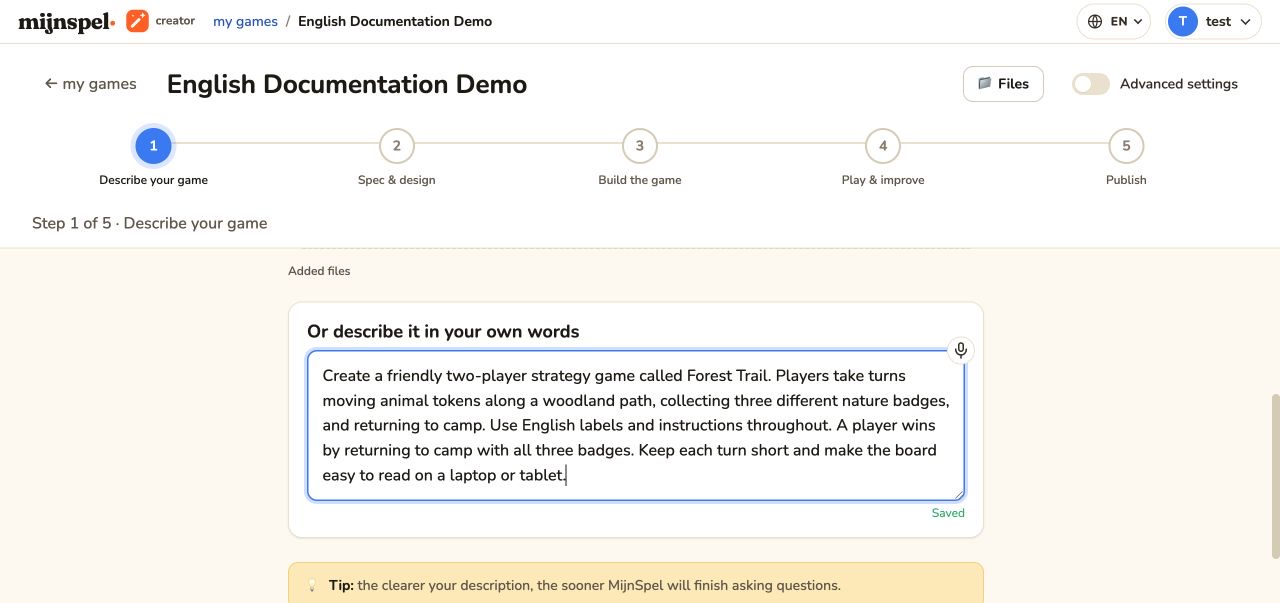
Describe the game#
Start with the experience you want: players, objective, turn structure, decisions, and physical or digital inspiration. You can attach supported reference material, including a rules PDF, instruction manual, photo, or video. Be explicit about solo versus networked multiplayer; it changes the game architecture and lobby requirements. See Describe a game for every input option.
Specification and questions#
Creator extracts a structured specification and asks questions when a material choice is missing. Answer question cards rather than hiding important decisions in a later message. Review rules, setup, win conditions, edge cases, player count, and input expectations before approval. The specification becomes a design and build constraint, not a guarantee that every idea is feasible. Read Specification and questions for the review flow.
Choose and revise a design#
Review the proposed visual directions, select one, and request focused revisions where needed. Design choices guide the game surface; they are separate from rule correctness. Confirm the final design before the build phase. Design and revisions covers revision history and custom design systems.
Build and verify#
The build agent creates the playable files and checks them. Progress and technical details appear in the conversation. Wait for the terminal result before navigating to Play. A failed build remains recoverable: read the failure, clarify the requirement if necessary, and retry through the provided action. See Build and preview.
Advanced agent, files, and source#
After the initial game exists, use the improvement Agent for requested changes. Files exposes supported project files and uploaded assets. Source is read-only: inspect generated code there, then ask the Agent for changes. See Files, Source, and assets for the exact boundaries. These tools operate only on the current Creator project.